
So.. your team member has forgotten their voicemail password and they require a reset.
How should you do this? There are actually two different methods available - via the 'SmartPBX' app, or via the 'Callflows' app. Here are some simple snapshots you can follow, beginning with the SmartPBX Application.
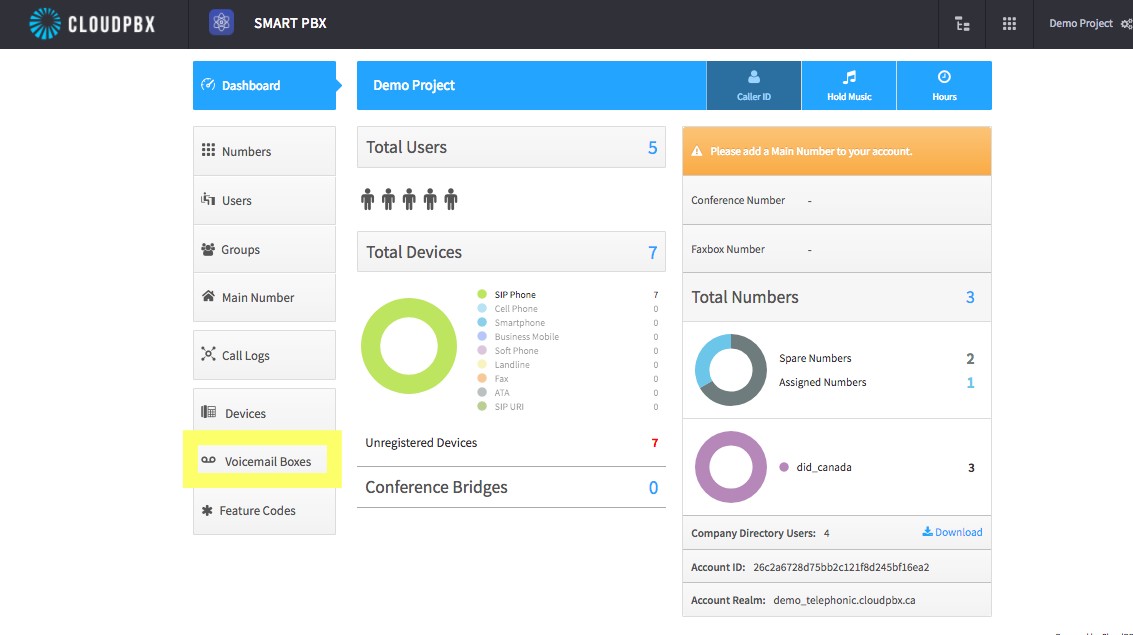
1. On the main landing screen, go to the bottom left and press on the Voicemail Boxes.
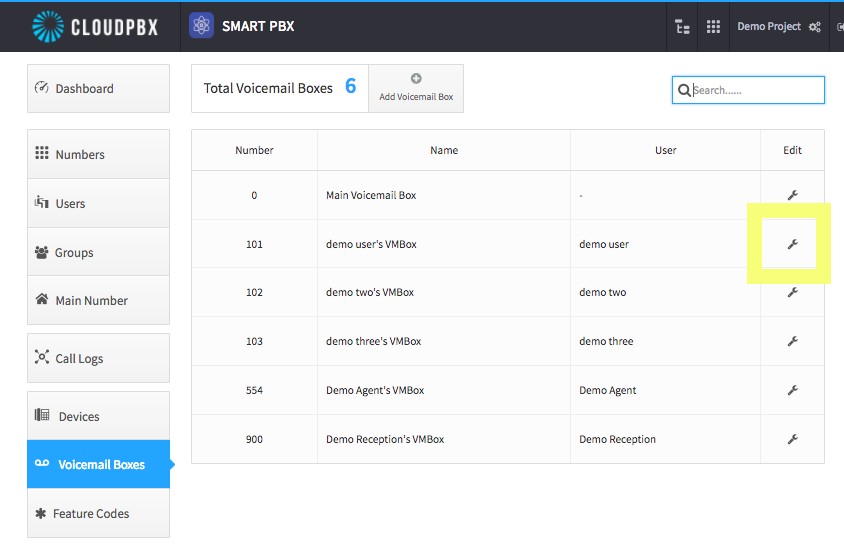
2. You will be brought to a window where all the users can be seen. You can configure their voicemail boxes using the gear icon on the far right - in the box labelled "Edit."
Select the Edit Configuration Gear Icon for the user that you would like to help.
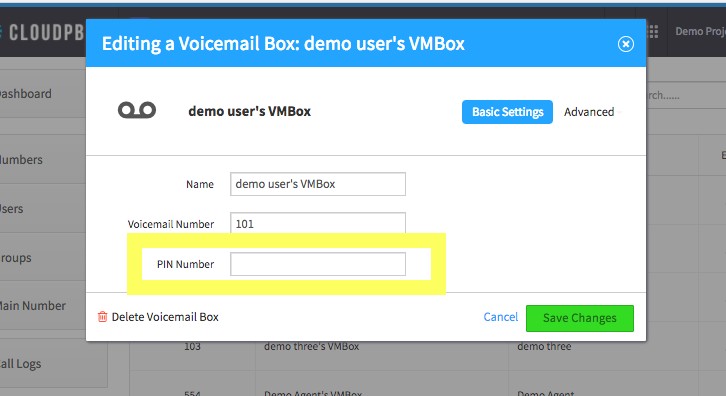
3. When completed, you will see the Pin Number Box where you can reset the users password.
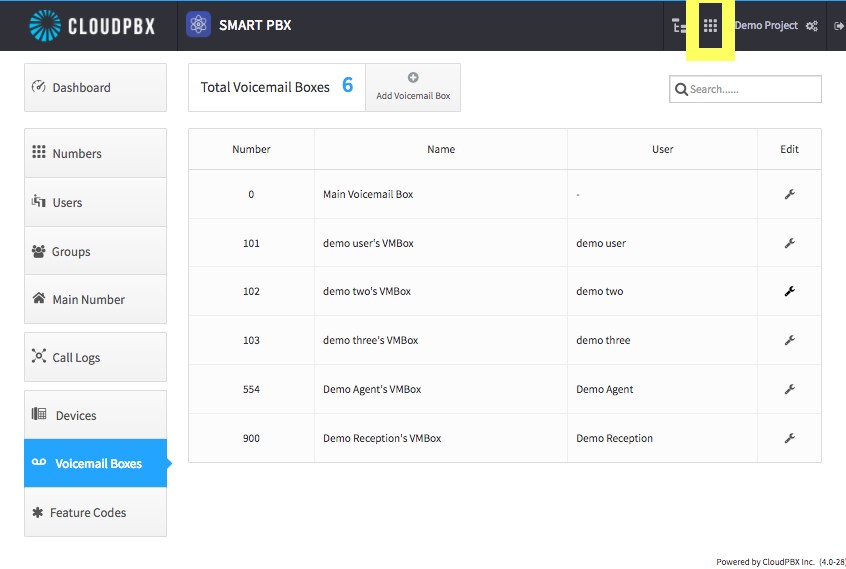
4. Good work, now if you wanted to see how you can make the differences using the Call Flow interface select on the menu icon above the screen as shown below here.
Now, alternately, via the 'Callflows' Application:
5. Select the call flows app icon as shown below here
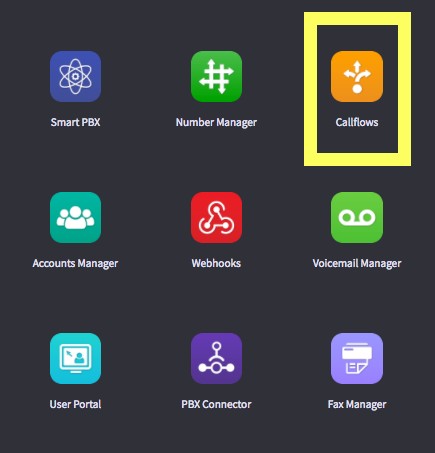
6. Select on "Voicemail" as shown below here.
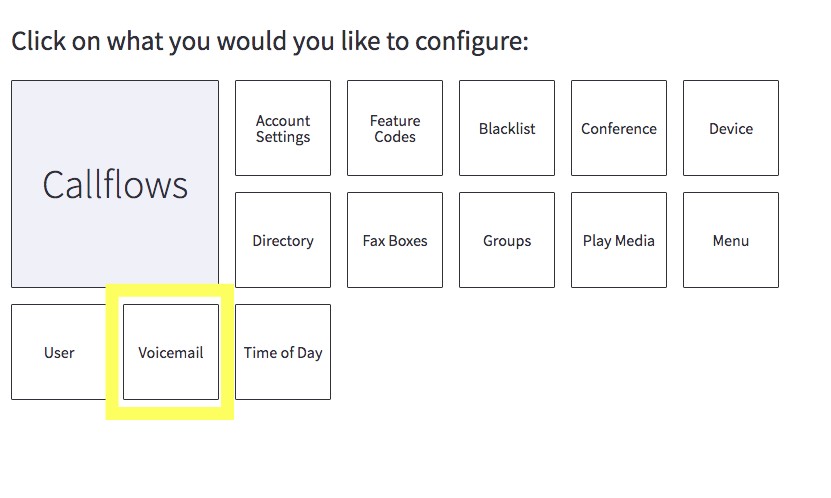
7. The Voicemail interface will appear a little differently from the Smart PBX Interface, but still the same information can be provided to reset the Users password. Make sure you press save at the bottom of the screen.
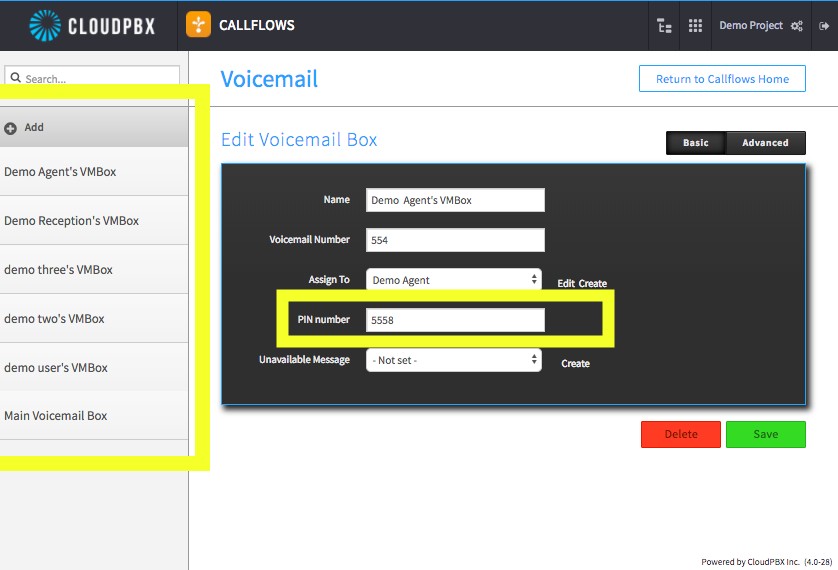
Another voicemail configuration that can be made through the Call Flows interface is the 'Autologin voicemail access' feature code. This is very useful, as your users don't even need to enter their PIN if they are accessing voicemail from their own phone.
You can find this by selecting the menu option at the top and returning to call flows.
When in the call flows interface select on Feature Codes.
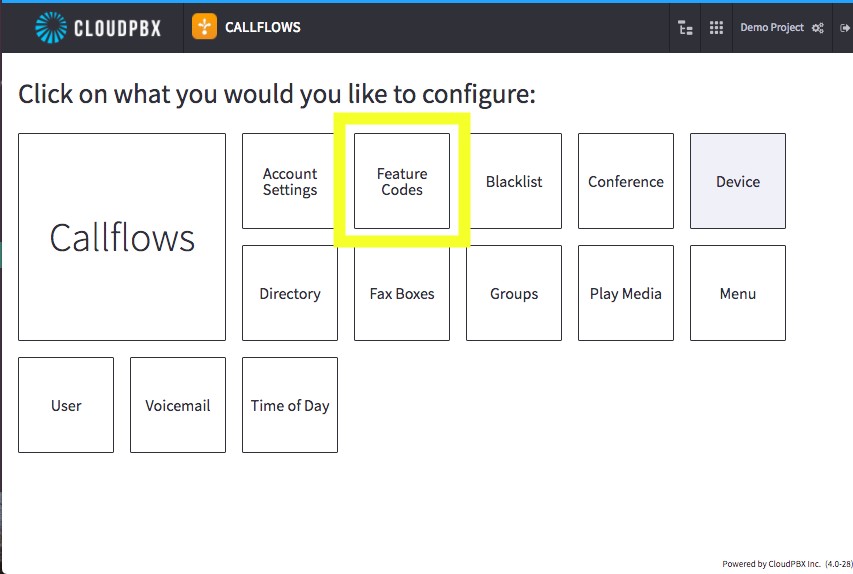
8. The Feature Code interface will appear. You'll see a list of features that you can use by enabling them or disabling them. The one we want to enable if you would like to have users have automated access to their voicemail via their device is "Check Voicemail" as highlighted below.
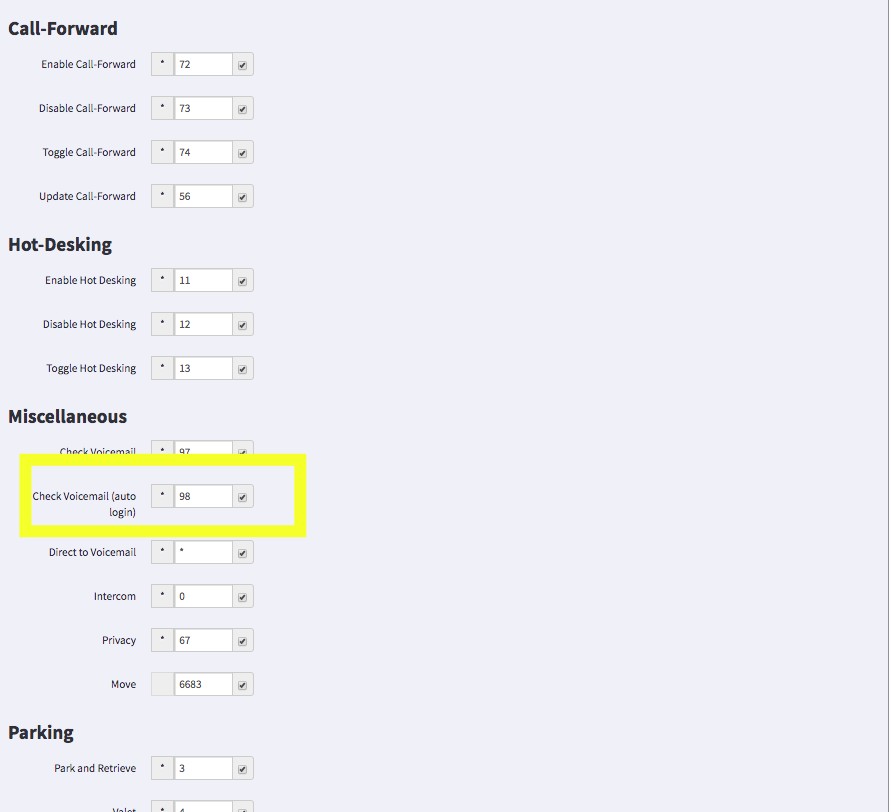
Make sure to click the little box beside the code to enable it with the checkmark. What this will do is ensure that a user dials that code, "*98" and the phone will automatically permit them access to the voicemail.
Comments
0 comments
Article is closed for comments.