
In order to add spare numbers as direct numbers please follow the directions listed below
1. Log into the web portal using your credentials.

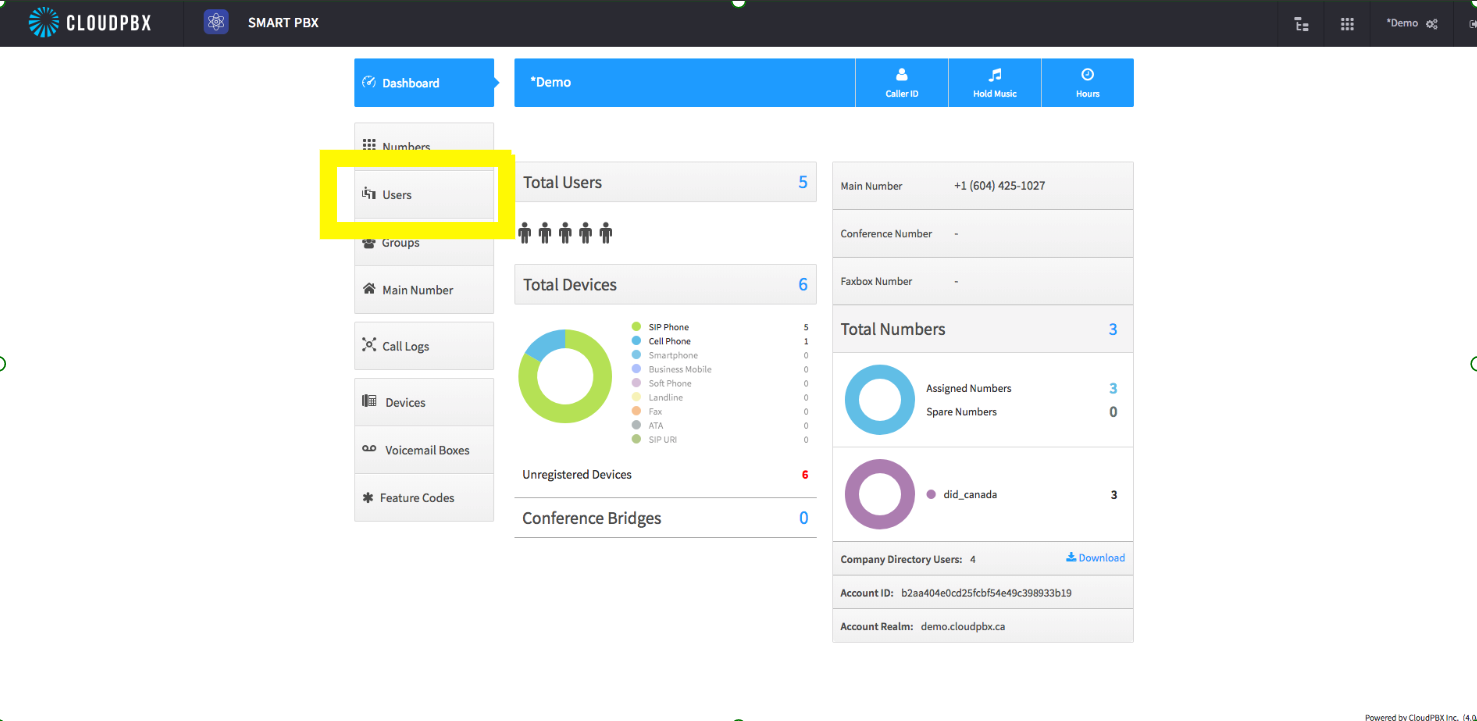
2. From the landing page, select on Users to the left.
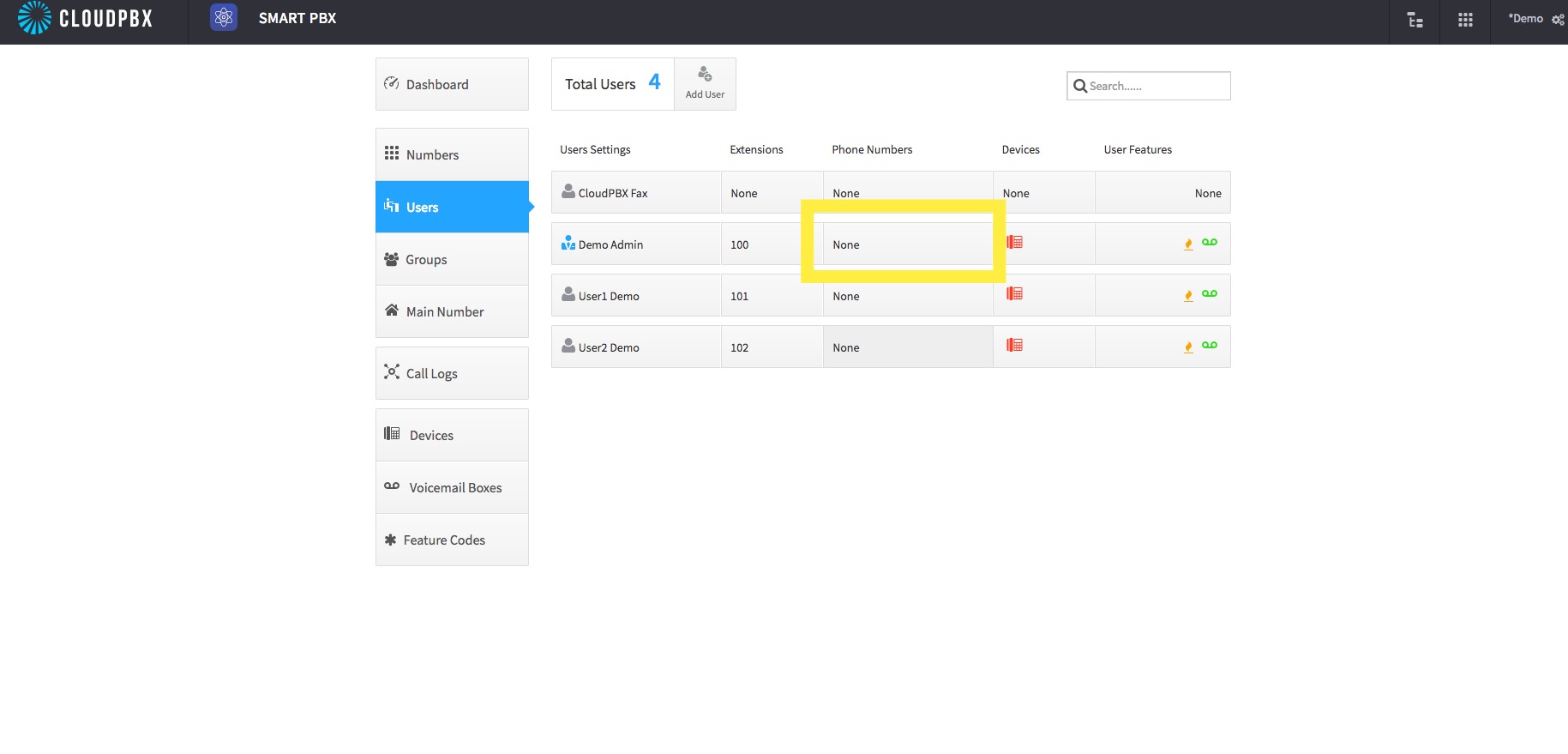
3. Within users you can select the "phone numbers" for the user that you would like to edit.
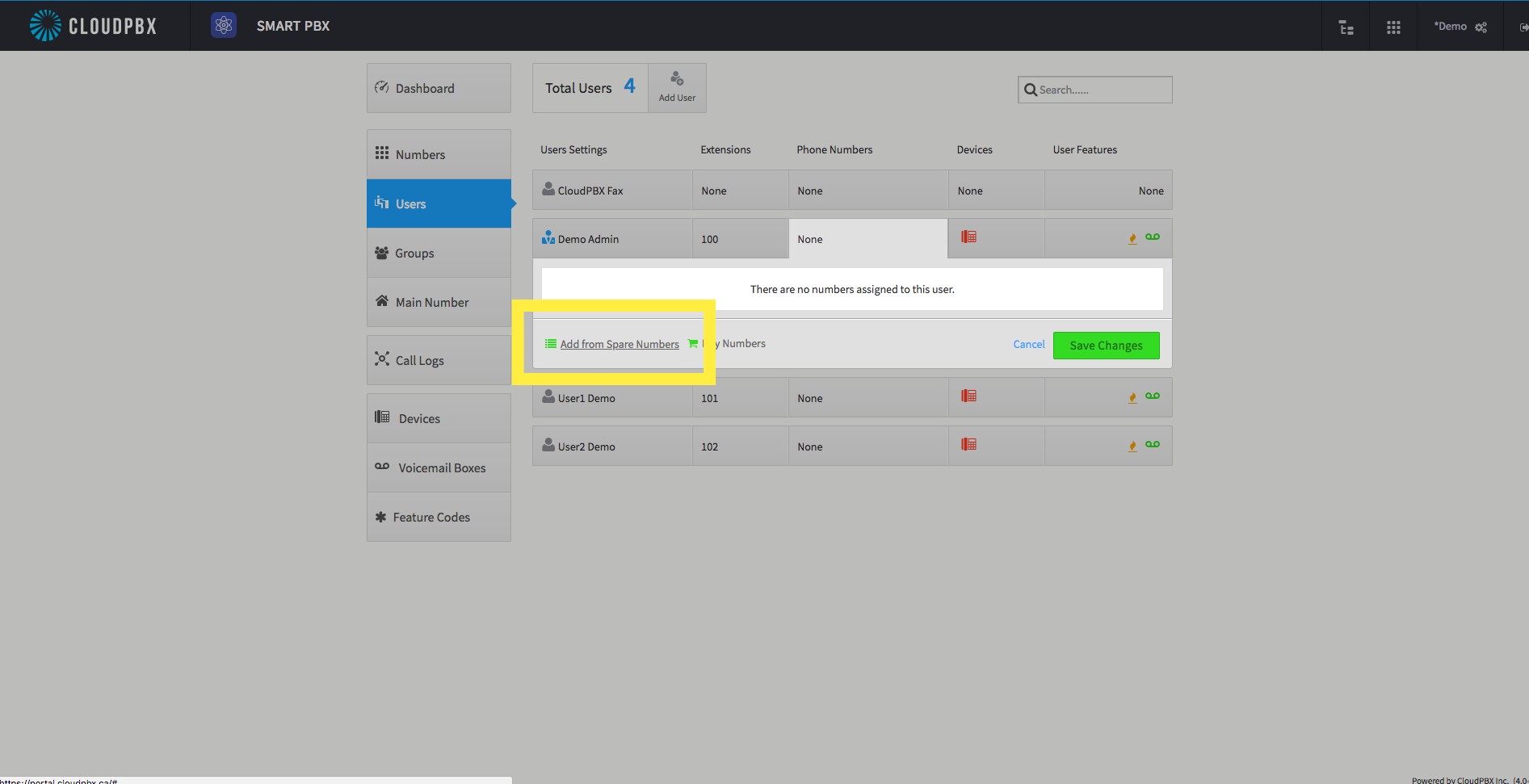
4. The phone number window appears, here you will select the 'add from spare numbers' on the bottom left of the window.
5. The list of spare numbers will appear in this window in which you would select the number you would like to assign. 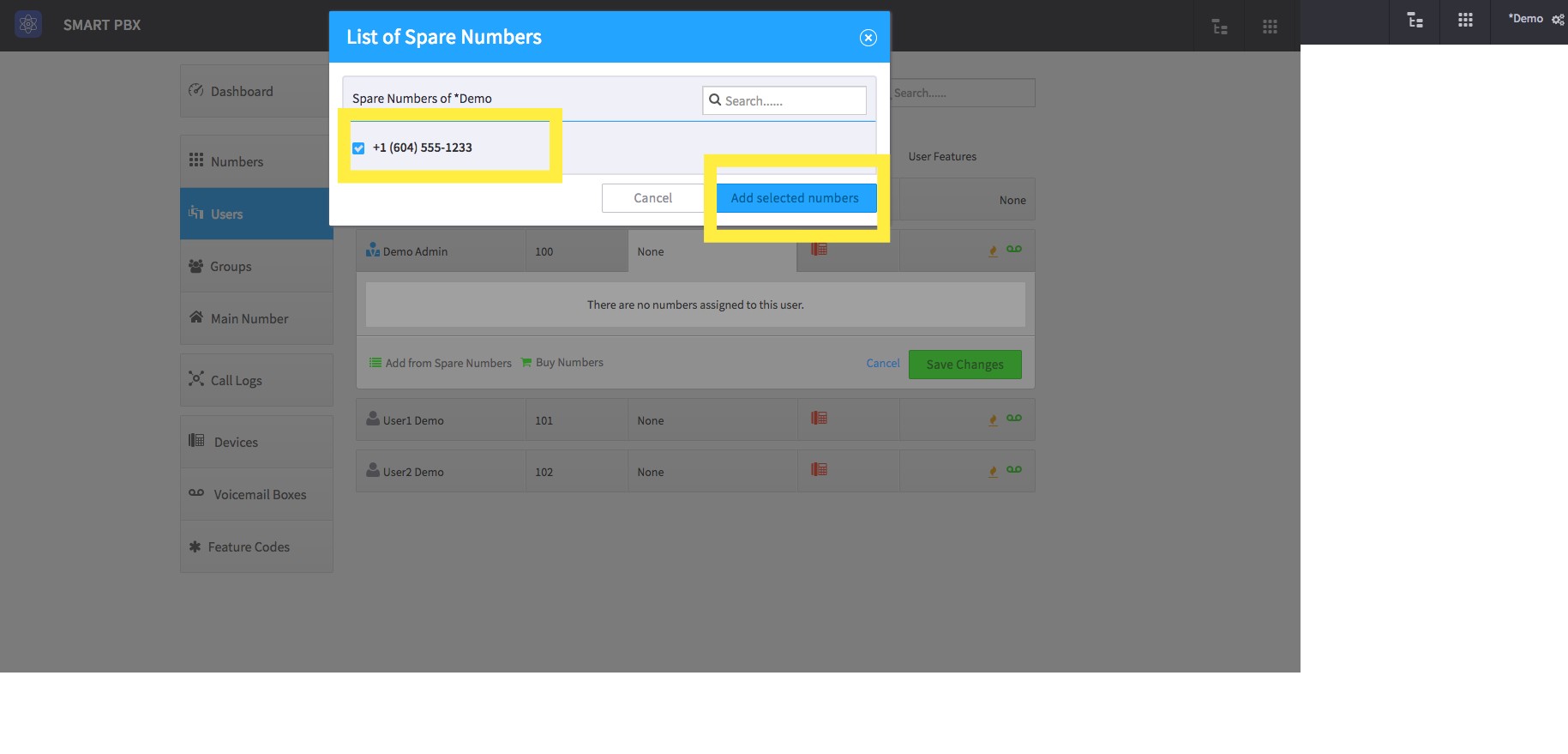
And that's it! You've gone ahead and added the spare number into the user. You can follow these same instructions for other users, and for further questions or inquiries please contact us.
Comments
0 comments
Article is closed for comments.