
Setting CallerID correctly is one of those details that might seem minor, but has huge implications.
Getting it right is important! This ensures that:
- Other staff members see your name and extension correctly so they can return your call easily;
- Those you call outside of the office will see the correct name / number before they answer the call -- in many cases people will not answer calls from those that they do not know
- That emergency 911 calls are handled properly, and that return calls can be made correctly. It is also of critical importance that the right address, matching your number, be present in the E911 database.
NOTE: The standard maximum length of 15 characters, including spaces, for the name, should be followed to ensure the best appearance across all off-network destinations.
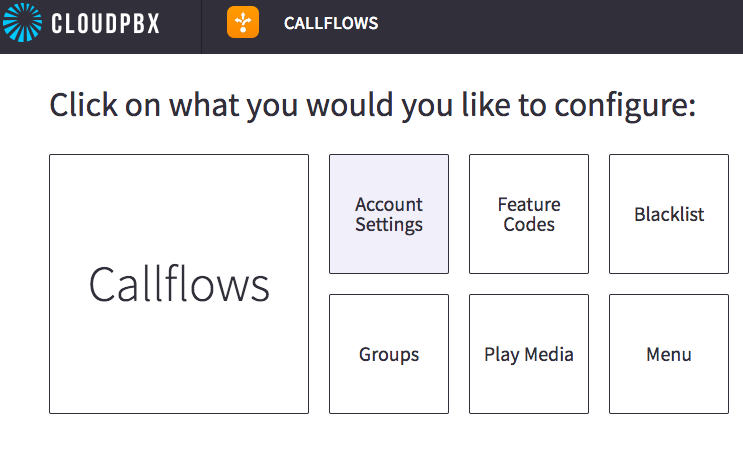
Using the 'Callflows' app, here is where you set the 'Account Global' callerID - 'Account Settings':
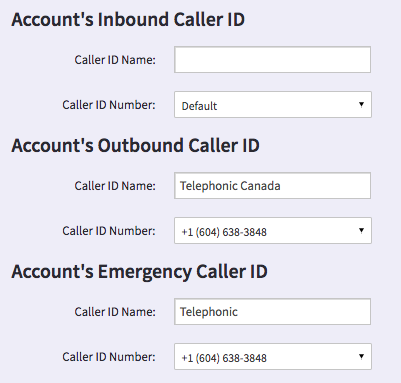
Here is the relevant portion of the 'Account Settings' menu:
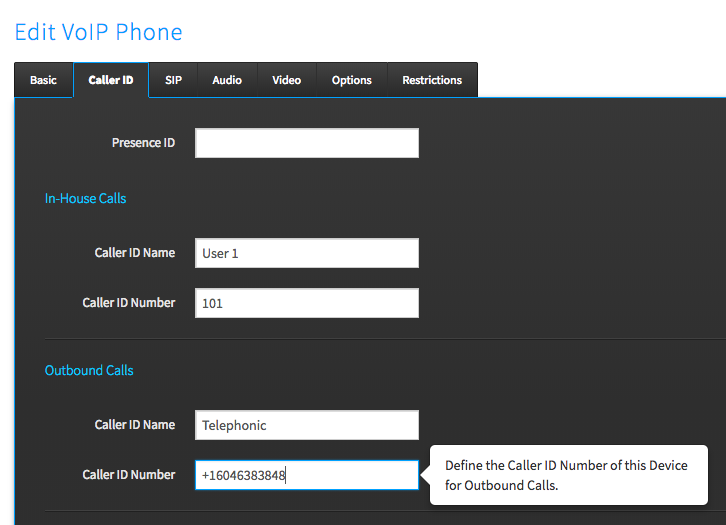
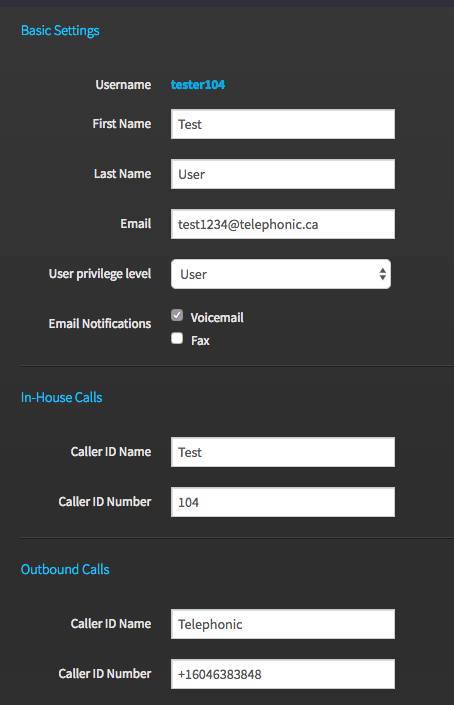
There are two other places that CallerID can be set: per-device, and per-user.
Per device:
Per User:
Here is how the three levels interact:
- Whatever is set at the 'device' or 'user' level will override what is set at the 'Account Settings'. In this way 'Account Settings' serves as a catchall, if nothing has been set at the 'device' or 'user' levels.
So, here are the 'best practices' to follow:
- The 'Outbound Number' is best set at the user level. This way, all that users' devices will display the same callerID. The 'Account Settings' should display the main business name and number. While it isn't strictly necessary to set the same callerID at every user, when the 'Account Global' is going to present the same anyways, it is a good practice to do so to ensure something is presented. This still allows individual users to present unique callerID numbers for direct callback, if desired.
- The 'Outbound Name' can be set at the 'Account Settings' level. If specific users or devices should display unique names, this can be done at the user/device.
- There should ALWAYS be an 'Emergency CallerID Name and Number' set at 'Account Settings'. If some users are at a different location than the majority, those users should have a unique callerID number set at their user or device.
Comments
0 comments
Article is closed for comments.