
Any time that you report a call to our support team for review, it is very helpful if you can provide the 'Call ID' of the specific call. This speeds up our review process, and eliminates any guesswork as to which call you'd like our team to review.
Here's how to find the 'Call ID' in the current CloudPBX portal. Only Administrator - level accounts can look these up:
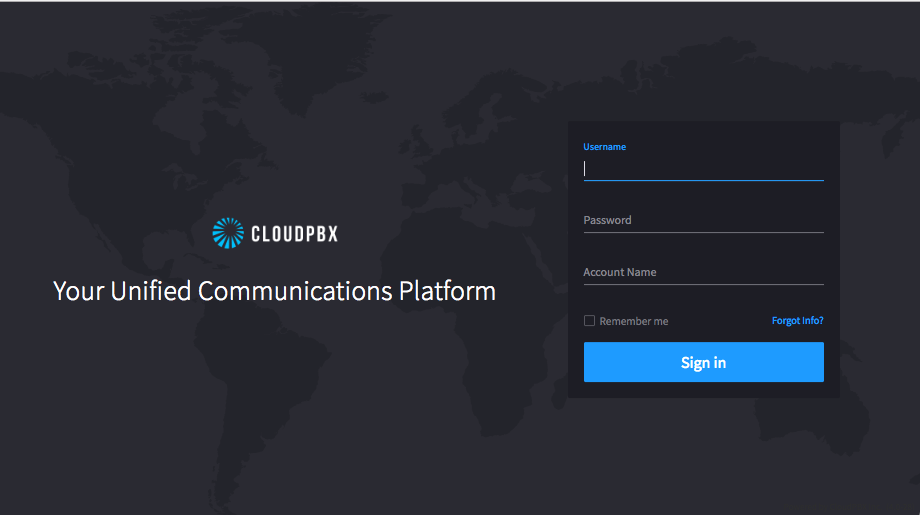
1) Log in to the portal at https://portal.cloudpbx.ca:
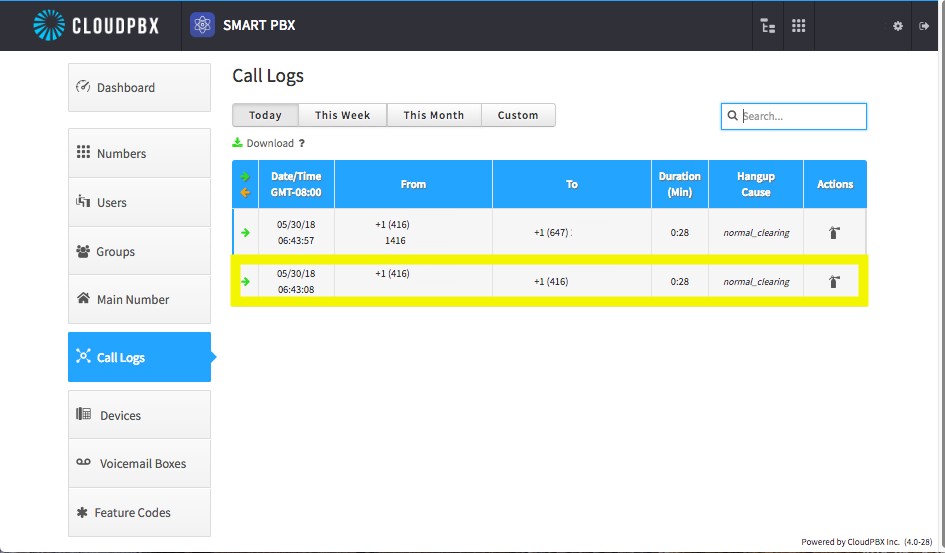
2) Once you are on the landing page, select the call logs on the left hand side.
3) Find the particular call(s) you'd like us to review, and select it as highlighted below, and it will expand with further details as shown on the following image.
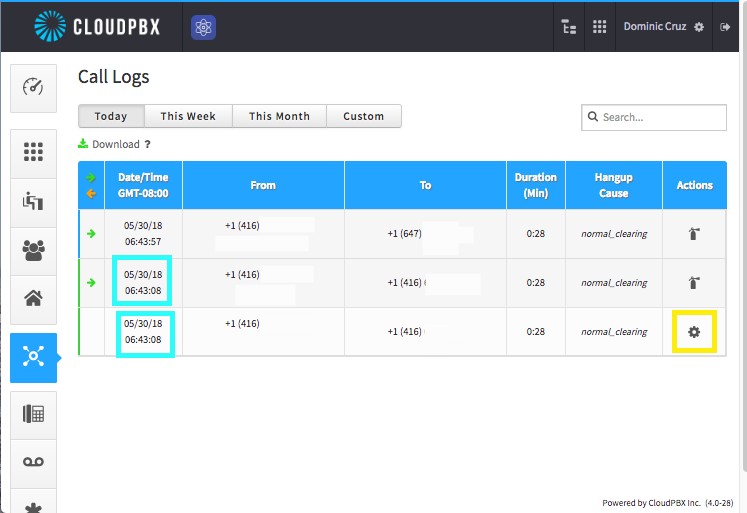
Selecting the phone call will expand it revealing a gear as highlighted below, select that gear for the phone call ID needed to analyze the call.
4) The call will open and reveal the call ID.
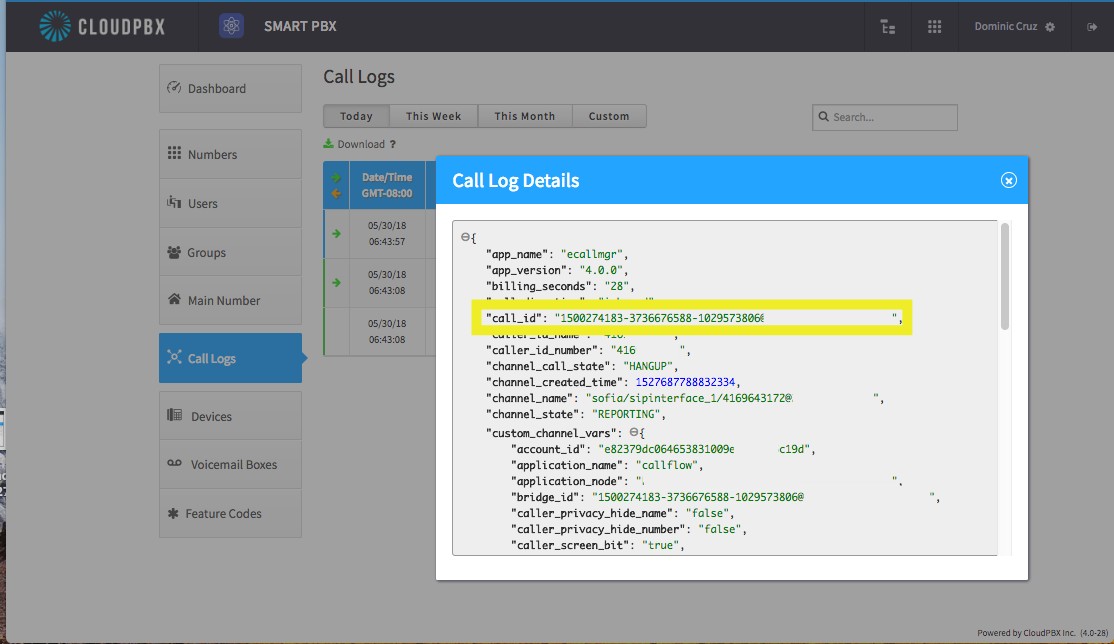
As shown above the highlighted portion is the unique 'Call ID', this is the ID you will provide to us at Telephonic.
Thank you for taking this extra step! It ensures that we are investigating exactly the call(s) you'd like us to.
Comments
0 comments
Article is closed for comments.